
I remember the first week after the service—no orders, no SOPs, just noise. I tried posting every day, buying tools, chasing motivation. Nothing stuck. Then I treated my online business like a mission: define the objective, install a system, and build a digital platoon. This post is my field manual for veterans who want to automate the grind and reclaim time—without losing their sense of purpose.
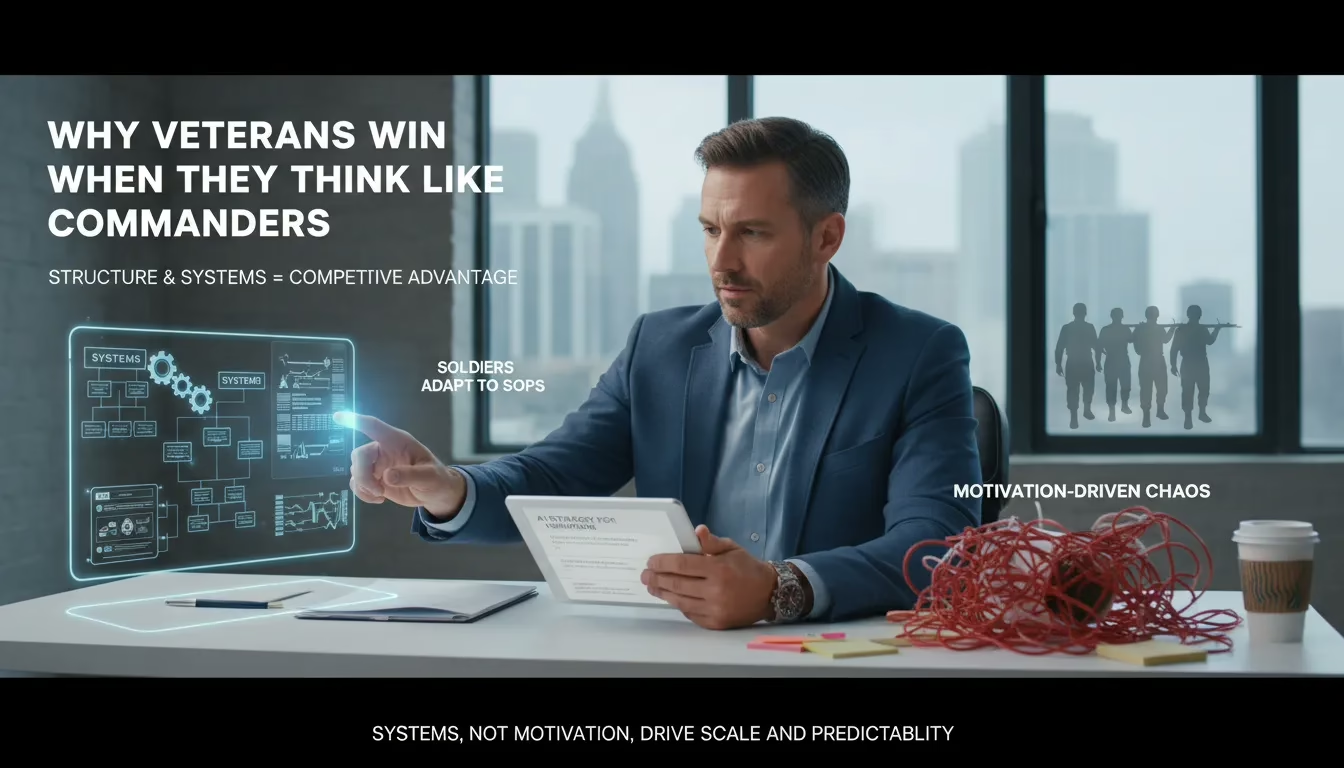
Why Veterans Win When They Think Like Commanders
AI strategy for veterans starts with what we already know: structure
Most veterans don’t struggle with work ethic. We struggle with structure once the uniform comes off. Online business can feel like a loud marketplace: post more, DM more, buy this tool, chase that trend. That isn’t a mission. That’s noise.
In the military, I was trained to execute inside frameworks: checklists, SOPs, and clear intent. That training is a competitive advantage because systems-thinking beats hype. Research backs it up: systems, not motivation, drive scale and predictability. Motivation fades. Systems keep moving.
Colonel Sarah Jensen: “Structure is leverage — the same SOP that keeps a platoon alive will keep your business alive.”
My first month out: chaos, then a mission-based switch
My first month after service, I tried to “stay motivated.” I bounced between content ideas, tools, and half-built funnels. I worked hard and still felt behind. Then I treated my business like a deployment: one mission, one plan, daily execution. That’s when my Veteran experience improvement started—less stress, more control, and a routine that actually supported my headspace. (Small aside: many mental health awareness programs point to routine as a stabilizer, and I felt that firsthand.)
The commander mental model: Mission, System, Squad
When I build an AI strategy for veterans, I run this loop:
-
Mission (what): clear offer and outcome (example: 90 days to a working system).
-
System (how): SOPs, templates, and a content trifecta like the Freedom_Accelerator_Module_6-min style—evergreen, depth, viral.
-
Squad (tools/AI): AI content, email, funnel, and analytics assistants to push toward the 80% automation goal and real Administrative burden reduction.
Unexpected takeaway: imperfection is fine
Motivation demands you feel “ready.” Systems don’t. A good SOP tolerates bad days, low energy, and messy drafts. You just run the checklist and improve it over time.
Action: write one mission statement right now
Open a note and write:
I help [who] achieve [result] in [time] using [method].
Example: I help military veterans build AI-powered affiliate systems in 90 days using SOPs and automation.
Step 1 — Define the Mission: Offer Clarity
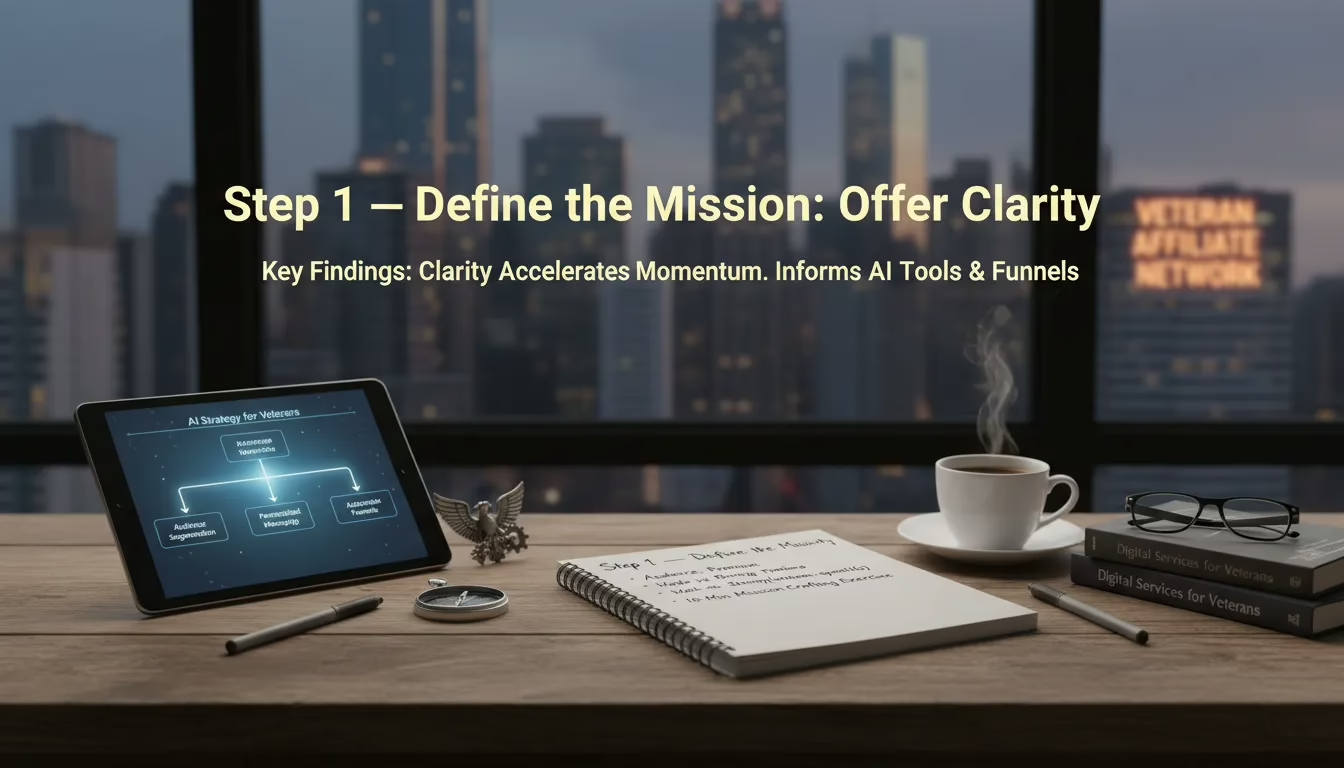
Before automation, before AI, before funnels… I need clarity. When I left the military and stepped into online business, I felt the chaos fast. Post more. DM more. Try another tool. That noise doesn’t build a Veteran affiliate network. A mission does.
Lieutenant Marcus Lee: “A clear mission shrinks the battlefield. You spend less energy, get more results.”
My 3-Part Mission Line (Audience + Promise + Timeline)
In Your Marketing Message, the lesson is simple: vague positioning kills momentum. Clear positioning accelerates momentum and reduces wasted actions. So I write my mission in one sentence with three parts:
-
Audience: who I serve
-
Promise: the result I help them get
-
Timeline: when they can expect progress (like 90 days)
Weak vs Strong Positioning (Rewrite It Like a Veteran)
Here’s the difference I had to learn the hard way:
|
Weak |
Strong |
|---|---|
|
“I help people make money online.” |
“I help military veterans build AI-powered affiliate systems in 90 days.” |
That strong version works because it’s specific. It signals AI strategy for veterans, a clear audience, and a clear outcome. It also fits real veteran needs, including the growing push around VA artificial intelligence and veteran-facing digital services.
10-Minute Exercise: Write Your One-Sentence Mission
-
Set a timer for 10 minutes.
-
Fill this in:
I help [AUDIENCE] achieve [RESULT] in [TIMEFRAME] using [METHOD]. -
Swap vague words (“better,” “more,” “success”) for measurable outcomes.
-
Write it on a sticky note or save it in your digital SOP.
Why Clarity Makes AI and Funnels Easier
Mission clarity informs which AI tools and funnels to prioritize. When my mission is tight, I stop debating every tool. I know what to automate first: lead capture, follow-up, and content that speaks to veterans. Clarity reduces decision fatigue, so my “digital platoon” runs on purpose—not guesses.
Quick FAQ: “What if my niche feels small?”
Small isn’t a problem. Niche creates trust. Trust creates predictable funnels. And predictable funnels are exactly what automation and AI scale best.
Step 2 — Install the System: Content Trifecta & Automation
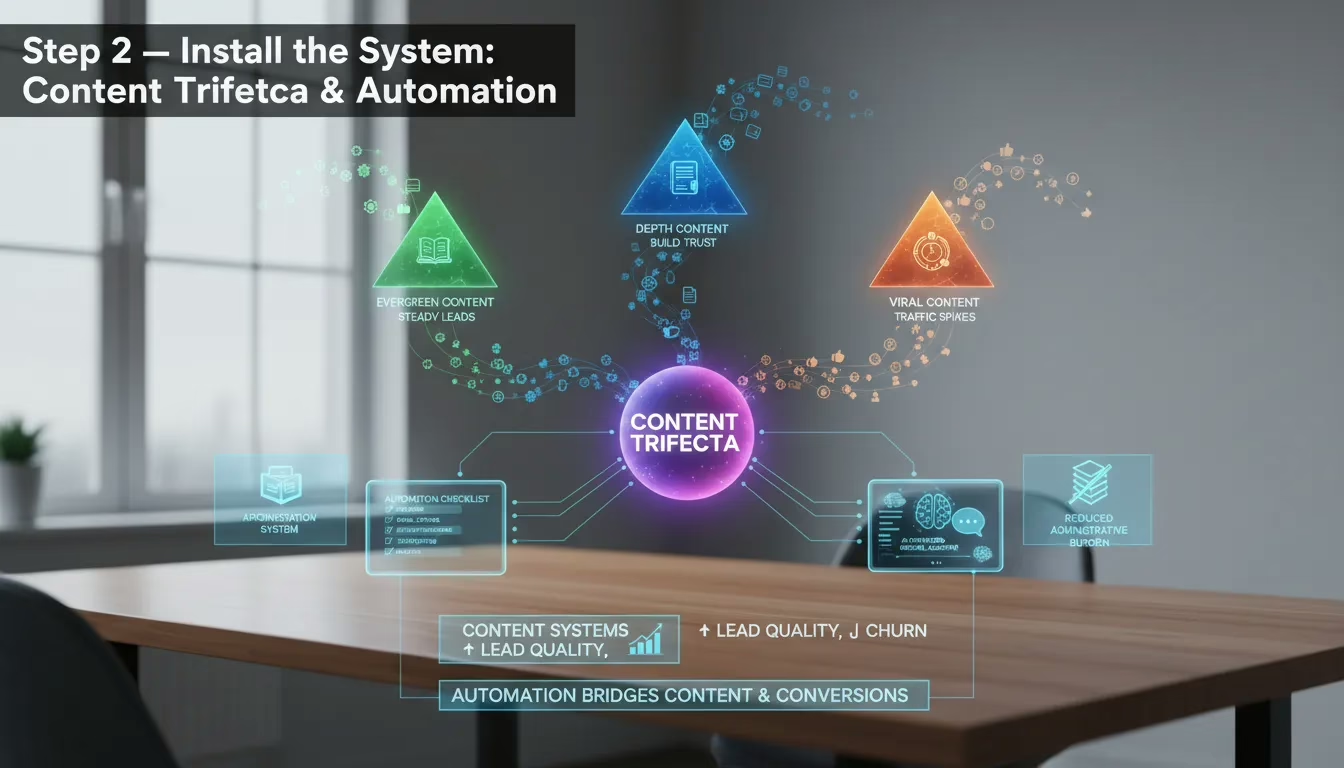
Motivation fades. Systems scale. When I stopped posting “when I felt like it” and started running a content system (like the one taught in Freedom_Accelerator_Module_6-min), my leads got better and my churn dropped. That matches what I’ve seen again and again: content systems increase lead quality and reduce churn because people know what to expect from you.
Dr. Elena Morales: “Consistency beats inspiration. Systems create the runway for AI to operate.”
Content Trifecta (Built for Administrative Burden Reduction)
I run three lanes, on purpose:
-
Evergreen content = steady leads (timeless how-to’s, checklists, FAQs).
-
Depth content = trust (case studies, breakdowns, long posts, webinars).
-
Viral content = visibility spikes (hot takes, trends, short clips).
Weekly/Monthly Output Guidelines
|
Type |
Goal |
Cadence |
|---|---|---|
|
Evergreen |
Steady inbound |
2–4 assets/month |
|
Depth |
Trust + authority |
1–2 pieces/week |
|
Viral |
Reach spikes |
Occasional attempts |
Automation Checklist: The Bridge Between Content and Conversions
Automation is the bridge. Without it, content creates attention but not outcomes. Here’s my baseline:
-
Email capture (simple opt-in + landing page).
-
Follow-up sequences (welcome, nurture, offer).
-
Retargeting (ads to viewers/visitors).
-
Scheduling (batch + queue posts).
-
Analytics (track lead flow and conversion).
Tools (Examples, No Endorsement)
I use AI-powered digital assistants to cut the busywork: an AI content generator (ChatGPT/Claude), email sequencers (ConvertKit/Mailchimp), schedulers (Buffer/Hootsuite), and simple integrations (Zapier/Make). This is administrative burden reduction in real life.
Document It First: Information Management Systems + SOPs
Systems must be documented to be automated. I keep an information management system (Notion/Airtable/Google Drive) with folders, tags, and prompts. I also borrow a page from VA-style information management AI systems: classify, summarize, and label every asset so nothing gets lost.
SOP Repurposing Tip
One long-form asset becomes everything:
Webinar → 4 evergreen posts → 2 depth emails → 6–10 short clips → 1 retargeting ad script
Real-world: I repurposed a single webinar into a full month of content, and every piece fed the same funnel—clean, trackable, and repeatable.
Step 3 — Build the AI Command Center
When I say “command center,” I mean one place where my AI-powered digital assistants work together like a squad. I’m not chasing random tools. I’m building a stack that runs the mission with me, not instead of me.
Dr. Alex Moreno: “When you architect AI correctly, it becomes a digital sergeant—handling routine tasks while humans lead on nuance.”
My Core Stack: AI Copilots and Agents
-
AI content generator to draft reels, posts, and threads from my offer and proof.
-
AI email assistant to write welcome sequences, follow-ups, and re-engagement.
-
AI funnel builder to assemble landing pages, lead magnets, and simple flows.
-
AI analytics tracker to summarize what’s working and what to cut.
This is the mindset shift: AI multiplies me; it doesn’t replace my judgment. I still decide the mission, the ethics, and the final call.
Integration: Make Data Flow Like a Real System
The VA strategy pushes AI assistants to speed up benefits and healthcare transactions—think “benefits in minutes,” document intake automation, and identity verification streamlined. I borrow that same idea for business: interoperable tools that pass clean data.
I connect my AI copilots and agents to:
-
My CRM (contacts, tags, pipeline stages)
-
Scheduling tools (bookings, reminders, no-show follow-up)
-
Content repositories (offers, FAQs, testimonials, SOPs)
I treat legacy tools like old EHR systems: they’re clunky, but with the right pipeline, the data still moves. Interoperable AI applications keep my “digital platoon” from tripping over silos.
Governance, Claims Automation Technology, and Safety
Automation needs rules. The VA AI strategy emphasizes responsible deployment, and I do the same—especially if I’m using Claims automation technology-style workflows for forms, onboarding, or document handling.
-
Use SOPs and approval steps for anything customer-facing.
-
Limit access, turn on MFA, and watch for identity theft risks.
-
Never store sensitive IDs in random tools without clear security.
Veteran-First Network Model
I look at AI Joe and veteran-affiliate partnerships as the model: veteran-first networks where tools, templates, and referrals are shared like gear. I also pull inspiration from FreedomOps—systems over hype.
Three Repeatable Prompts (Use in Your SOP)
-
Create 5 short-form posts for [offer] aimed at [veteran audience]. Include hook, 3 bullets, CTA. -
Write a 5-email welcome sequence for [lead magnet]. Tone: direct, helpful, mission-focused. -
Draft a follow-up DM for a lead who clicked but didn’t book. Ask 1 question, offer 1 next step.
Step 4 — Daily Sprint: Templates, Prompts, SOPs
When I treat my business like a mission, my results get calm and predictable. Standardized daily sprints create predictable lead flow, and that’s the whole point of my “digital platoon.” I don’t wake up and “feel inspired.” I execute.
My Daily Sprint Checklist (Routine Inquiries Resolution)
-
2–3 reels
-
20 new conversations
-
1 value post
-
Value comments
-
3–5 threads
-
3–5 stories
This volume works because it feeds the AI Command Center with real data—real questions, real objections, real wins. That improves Routine inquiries resolution because I’m not answering the same DMs from scratch every day.
Why Volume + Templates Win (Staff Performance Improvement)
Templates and SOPs reduce reliance on momentary motivation. If someone on my team swaps roles—or I’m offline—our output stays steady. That’s Staff performance improvement in plain language: fewer decisions, fewer mistakes, more reps.
Sergeant Major Tom Beck: “Small daily actions standardized into SOPs beat heroic weekends every time.”
Templates I Use Every Day (Veteran Experience Improvement)
DM opener template (copy/paste):Hey [Name]—saw your post about [topic]. Quick question: are you trying to [goal] or fixing [problem] first?
Value post structure:Hook → 3 bullets (problem, fix, example) → 1 clear CTA (“Comment ‘PLAN’ and I’ll send the checklist.”)
Short-form video script prompt:Act as my content NCO. Write a 30-second reel for veterans about [topic]. Use: Hook (5s), 2 steps (20s), CTA (5s). Tone: direct, calm, mission-focused.
SOP Example: Batching + Prompt Sheet + Scheduling Window
-
Monday: batch 6–9 reels using my prompt sheet.
-
Tuesday: write 3 value posts + 10 comment starters.
-
Daily: 30-minute scheduling window + 30-minute engagement window.
Timeboxing, Recovery, and Tracking
I run two sprints: early (before family time) and late (after recovery). If my head isn’t right, I take a rest day—burnout kills consistency.
|
Daily Metric |
What I Track |
|---|---|
|
Conversations |
20 started, replies, booked calls |
|
Leads captured |
Email/DM opt-ins |
|
Content performance |
Saves, shares, watch time |
|
Routine inquiries resolution |
% answered by templates/AI |
One week I skipped templates and “winged it.” Engagement tanked, DMs piled up, and I felt behind every day. That’s when I learned: the system must run even when I don’t.
Scaling Up: Your AI-Powered Digital Platoon
When I started, I was a solo operator doing everything—content, DMs, scheduling, follow-ups, and tracking. That works for a minute, but it breaks fast. Scaling means I stop being the worker and become the commander. I hand off routine tasks to AI and to the right human partners, the same way the VA is using AI for administrative burden reduction and pushing to deliver Benefits in minutes, not months.
Modern infrastructure investment: build the command center first
I treat this like a Modern infrastructure investment. My stack is simple: an AI writer, an AI inbox assistant, a CRM, and clean information management systems that store leads, docs, and notes. If you’re stuck with legacy tools, plan for interoperability—like EHR systems that must run in parallel—so data can move without breaking the mission.
Metrics that tell me I’m scaling (not just busy)
-
Automation target: ~80% of routine tasks (a heuristic, not a promise).
-
Time saved: hours/week returned to sales calls and coaching.
-
Lead conversion: opt-in rate, booked calls, close rate.
-
Call center efficiency: fewer back-and-forth messages per lead.
Maya Chen, AI Program Lead: “Automation should free humans to do the work that actually needs a human.”
Operational playbook: automate vs hire
I automate anything repeatable. I hire when judgment, trust, or compliance matters—similar to VA disability claims support-like specialists who know the rules and can calm a stressed client.
-
Automate: intake, reminders, tagging, follow-ups, basic FAQs.
-
Hire: case review, complex troubleshooting, partner management, QA.
Integration examples (Claims automation technology mindset)
-
Document intake automation: upload → auto-name → route to the right folder.
-
Identity verification: lightweight checks before sensitive steps.
-
Appointment scheduling: AI proposes times, confirms, and logs notes.
Partnership model: scale trust with a veteran affiliate network
Tools like AI Joe and systems like FreedomOps get stronger when I plug into affiliate networks and partnerships. A veteran-focused affiliate team expands reach, adds social proof, and keeps messaging consistent across channels.
Scaling timeline (months 3–12) and governance
|
Checkpoint |
What “mature” looks like |
|---|---|
|
Month 3 |
Templates, prompts, and SOPs for daily execution |
|
Month 6 |
Automated follow-up + tracking dashboards |
|
Month 9 |
Partner referrals + QA reviews weekly |
|
Month 12 |
Responsible AI deployment: training, monitoring, and audits |
Wild Cards: Hypotheticals, Analogies, and Strange but Useful Ideas
Hypothetical: The Outage Drill (Identity verification streamlined)
If my AI stack went dark tomorrow—software outage, login lockout, or a platform change—I don’t panic. I run an emergency SOP like I’m back on mission. This matters even more when your workflow touches VA-style documentation and identity verification streamlined steps.
-
Switch to a “manual mode” folder: scripts, templates, and links saved offline.
-
Post one simple value update (no automation): problem, tip, CTA.
-
Capture leads with a backup form (Google Form) and a spreadsheet.
-
Verify access: passwords, 2FA, admin emails, recovery codes.
-
Log every lead interaction in a basic information management systems sheet.
-
Send a plain-text follow-up email from my primary inbox.
-
Open a ticket, then set a 30-minute recheck timer—no doom scrolling.
Analogy: AI as a Field Medic (High-impact AI use cases)
I treat AI like a field medic. It doesn’t “win the war.” It keeps the mission moving. First it triages—sorts leads, tags intent, drafts replies. Then it escalates—hands off the hard cases to me. That’s one of the most high-impact AI use cases: reduce decision fatigue, protect focus, and keep humans on judgment calls.
Strange but Useful: The Digital Mess Hall
Picture a digital mess hall. My AI “cooks” the day’s leads: cleans the data, labels who needs benefits help vs. who wants the offer, and plates it into a queue. Then my human team (or future team) grabs trays: calls, DMs, or consults. Nobody wonders what to do next.
Mini-Experiment: 48-Hour Viral Blitz + After-Action Review
Micro-experiments and contingency plans improve resilience, so I run them on purpose. For 48 hours, I post a tight viral blitz (reels, threads, and one strong story). I track clicks, opt-ins, and replies, then automate the follow-up sequence for the winning angle.
|
Metric |
What I Measure |
|---|---|
|
Visibility |
Views + shares |
|
Conversion |
Opt-ins per 100 clicks |
|
Sales Signal |
Replies asking “how?” |
Colonel Sarah Jensen: “Plan for failure the way you plan for success—it’s the only way your system survives.”
Micro-Case: “AI Joe” and the Benefits Advocate Pairing
In my “AI Joe” affiliate network, I pair a creator with a benefits-support advocate. The creator drives attention; the advocate handles documentation questions and trust. The AI routes messages, drafts answers, and logs everything—clean, trackable, and human where it counts.
Short Aside: Weekends Returned
I watched a veteran mom automate her side-income with simple prompts and scheduling. Friday night used to mean catching up on DMs. Now her system triages, tags, and queues. Saturday is hers again—because the platoon runs even when the commander rests.
Conclusion — From Soldier to System Architect
AI solutions for veterans: clarity + systems + AI = freedom
I built this whole strategy around one truth: clarity + systems + AI = freedom—and yes, more predictable income. When I stopped chasing random tactics and started running a mission, everything got quieter. My offer got clear. My content followed a repeatable structure. Then AI stepped in like a force multiplier, helping me hit the 80% automation target without losing my voice.
My first “system weekend” (and why it mattered)
The first month my system ran without me, I did something that felt wrong at first: I took a weekend off. No panic-posting. No late-night DMs. Leads still came in. Emails still went out. Follow-ups still happened. That’s when I understood the “digital platoon” idea for real—my AI command center wasn’t replacing me, it was covering my flank so I could recover and think. Structures and systems don’t just scale impact; they protect well-being, too.
“Automation is a tool — leadership is the final multiplier.”
— Maya Chen, AI Program Lead
TL;DR and your next 90 days
TL;DR: If you want the results from earlier sections, do four things: write your mission, build the content trifecta, pick three AI tools, and run a 90-day sprint like it’s a deployment. I’m not asking you to work harder. I’m asking you to work inside a system that keeps working when you step away.
Responsible AI deployment and veteran-first impact
As you build, keep it ethical. Responsible AI deployment means protecting identity, securing logins, and never feeding sensitive personal data into tools that don’t need it. If your work touches VA disability claims support, be extra careful: prioritize accuracy, clear disclaimers, and the veteran’s experience over speed. Sustainable automation also requires training and governance—think SOPs, prompt templates, and a simple review process so your “platoon” stays disciplined.
Now it’s your turn. Subscribe, follow, and build with peers inside a veteran-first affiliate network or community. You already have the skills—planning, execution, leadership. Package them into repeatable systems, and step into the role you were trained for: Commander.
And if you’re wondering whether I have it all together, I don’t. I still forget to schedule my own dentist appointments.
TL;DR: Define a clear mission, build repeatable systems, assemble an AI command center, follow a tight daily sprint, and scale with automation so your AI handles ~80% of routine tasks while you lead.
Leave a Reply
You must be logged in to post a comment.